Newv1.0.0: Axelerate Learn, in its own app →

Your training, in its own app.

Courses for every seat, practice calls with an AI seller who talks back and marks you, the call scripts, and the record an investor reads — now an app for your computer and your phone.
v1.0.0 · 108 MB · Windows 10 and 11 · released 29 Sep 2026

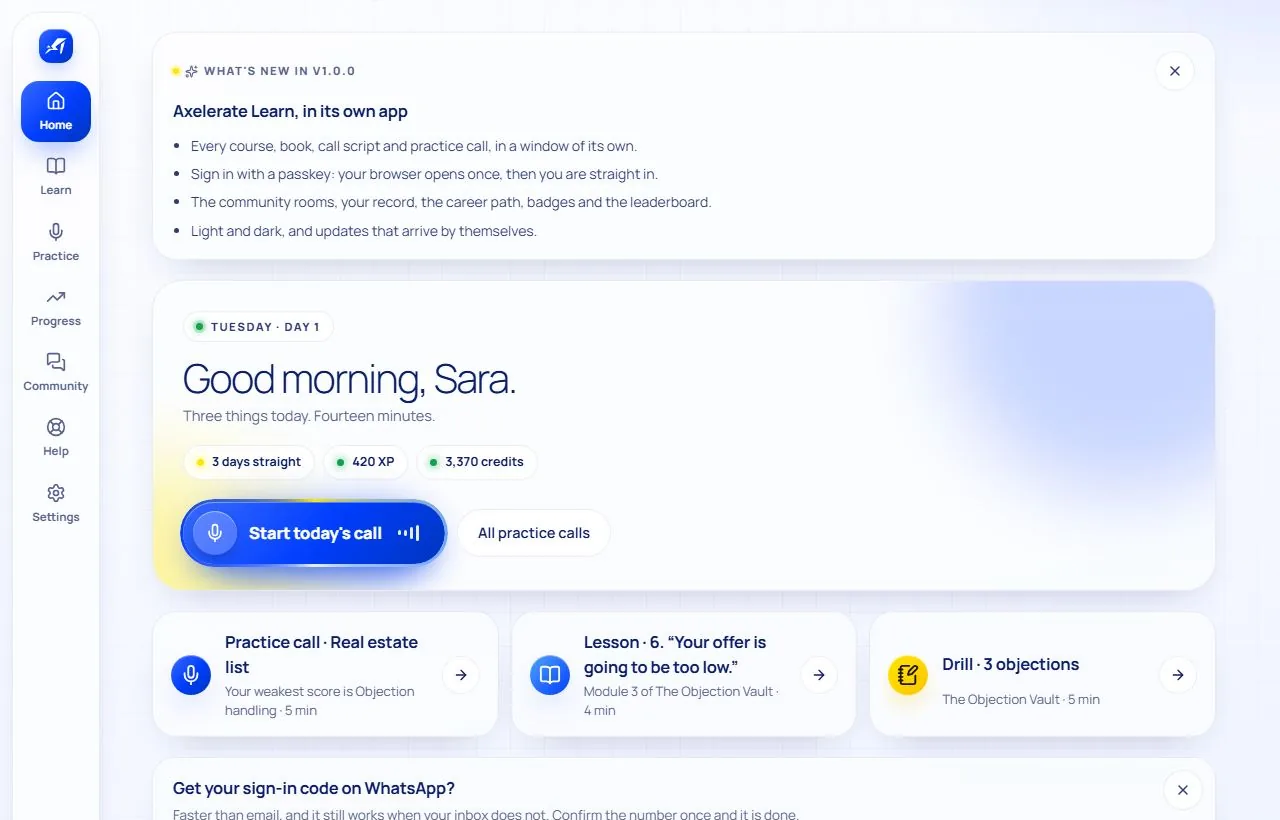
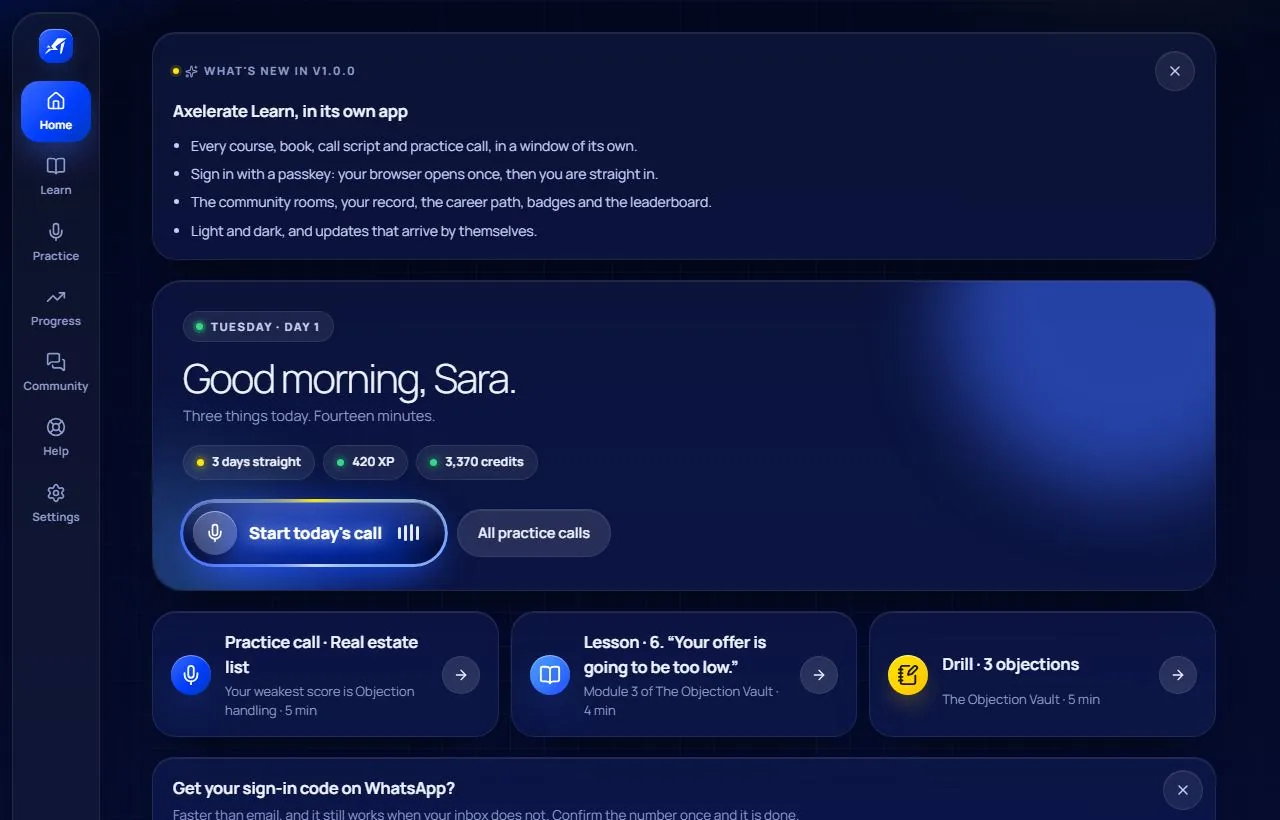
Axelerate Learn's Home: today's call, the three things to do today, quests and your streak.Axelerate Learn's Home: today's call, the three things to do today, quests and your streak.
Same account, same progress Sign in as you always have. Courses, calls, badges and what you bought are already there.
One device at a time A code or your passkey on every new device, and the old one signed out.
Updates by itself New versions arrive in the background and wait for you to restart.
What's inside

Everything you trained on, in one window.

The same courses, calls and records as before — laid out for an app, in light and dark.
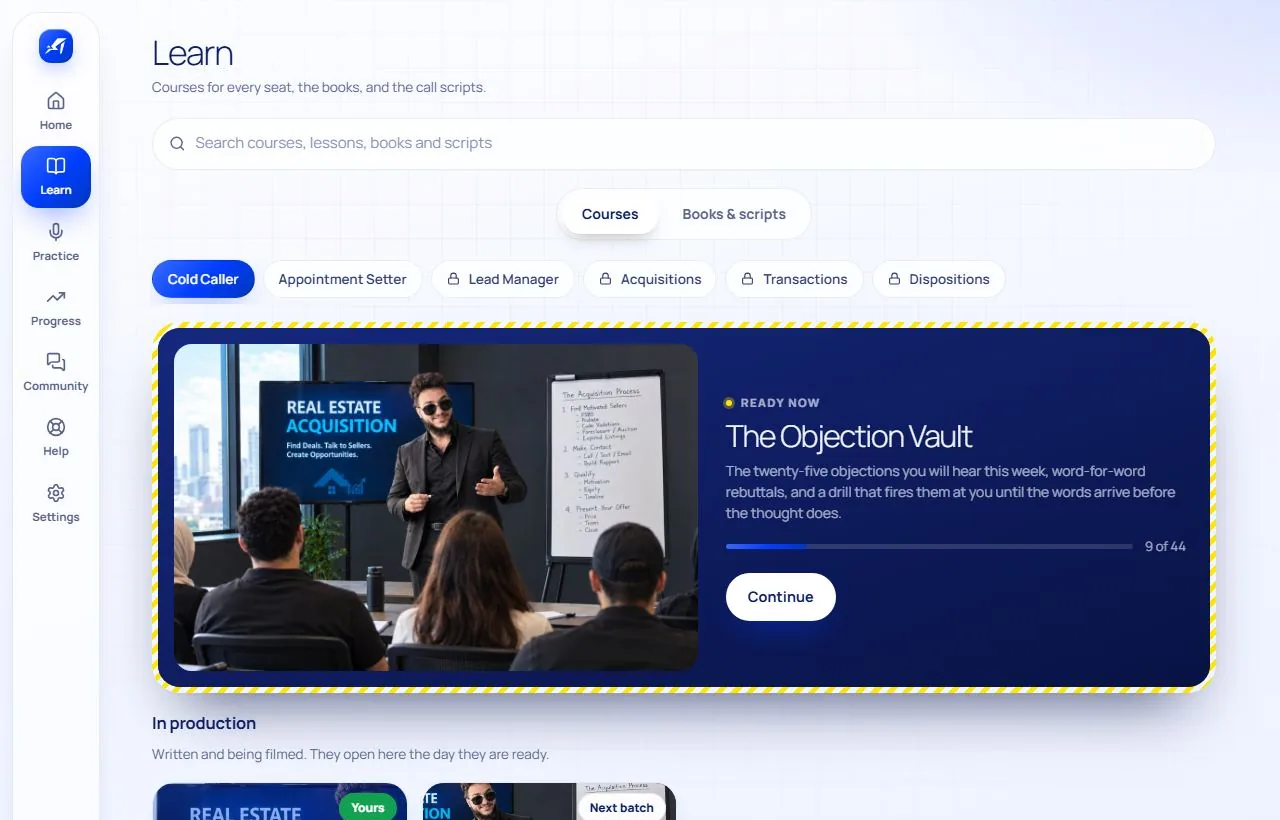
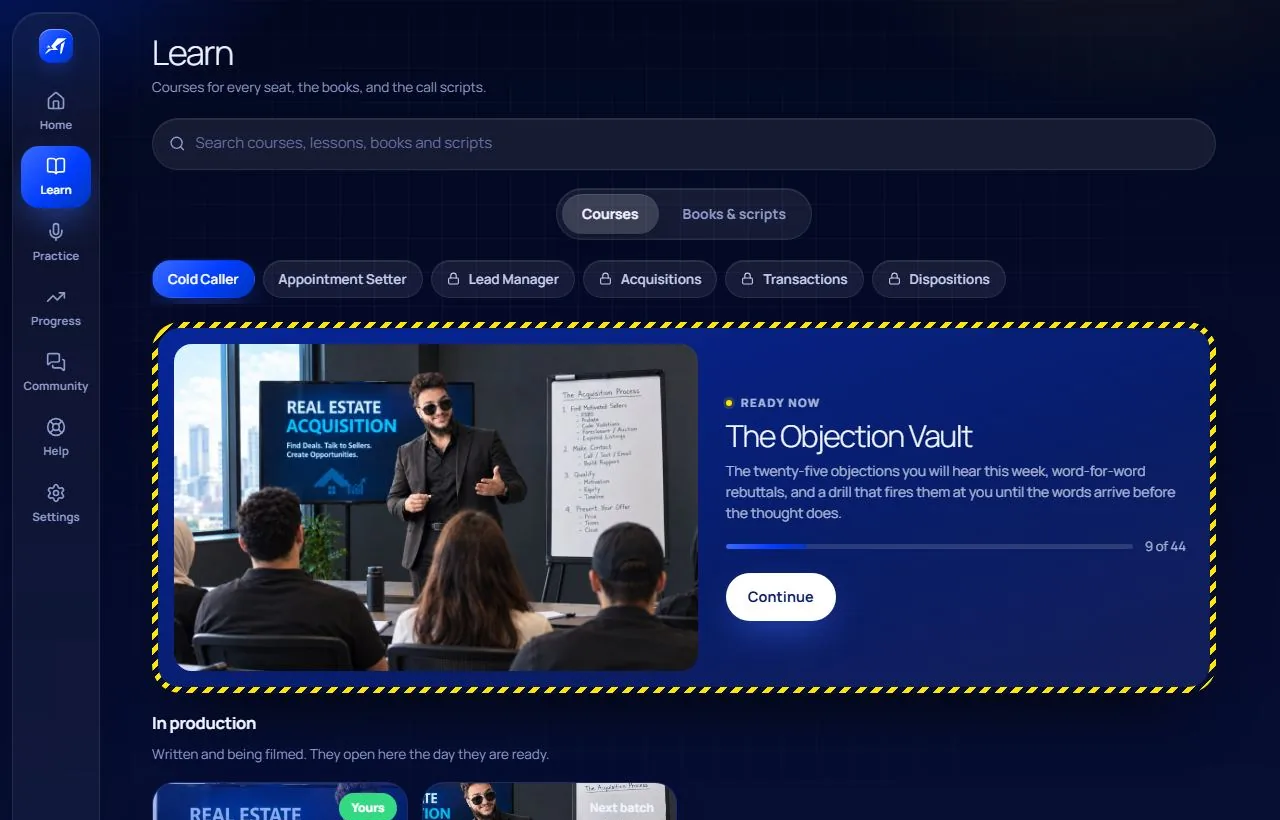
The Learn screen: courses for each seat, with the one to carry on first.The Learn screen: courses for each seat, with the one to carry on first.

Learn: courses for every seat, the books and The House Book.
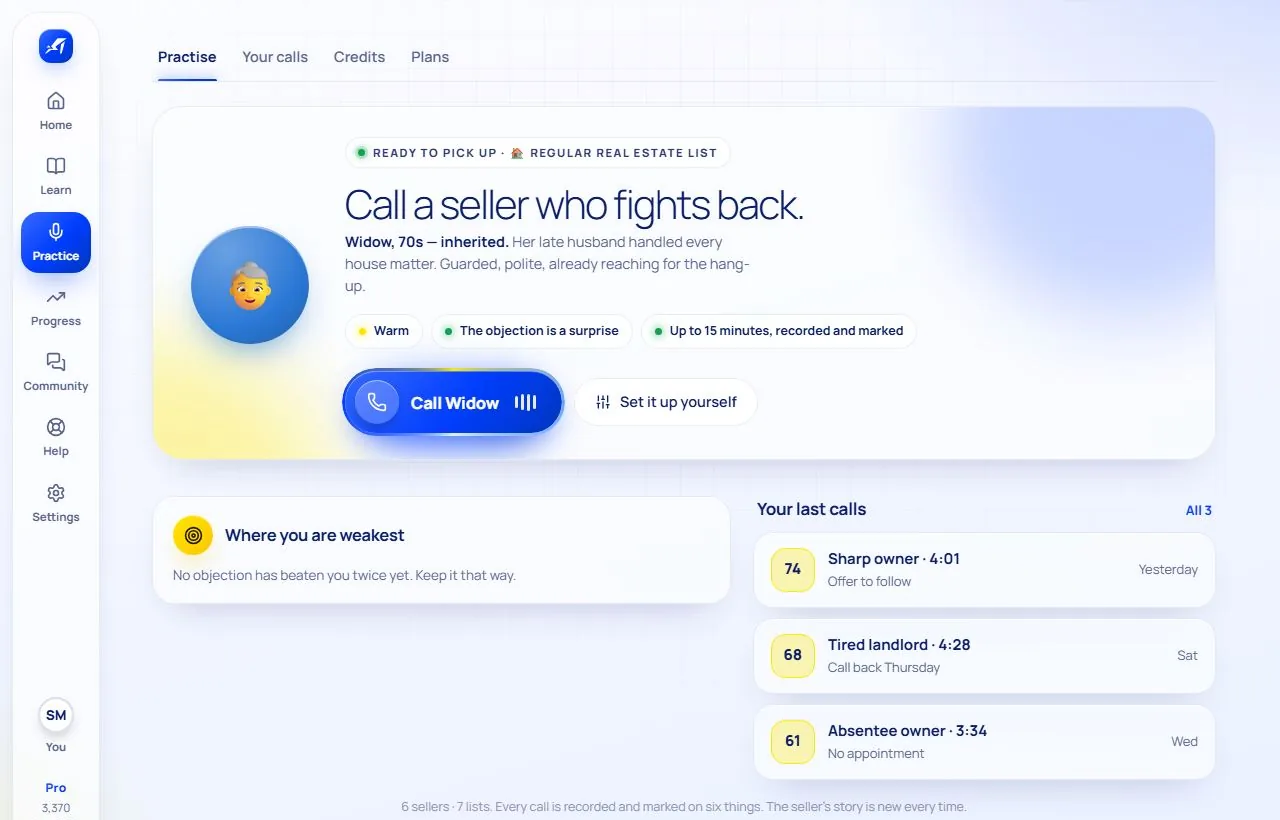
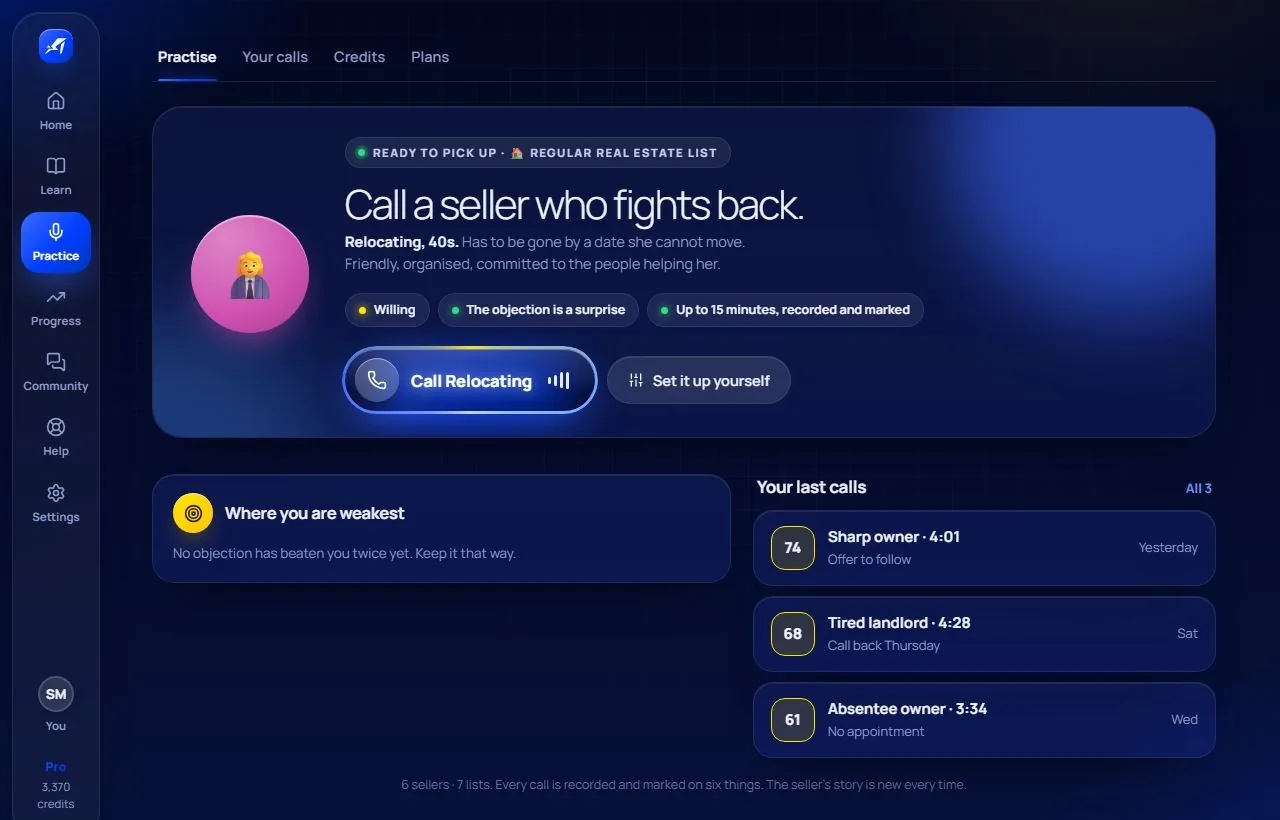
The Practice screen: the seller waiting and the call button.The Practice screen: the seller waiting and the call button.

Practise: an AI seller on the phone, and a mark for every call.
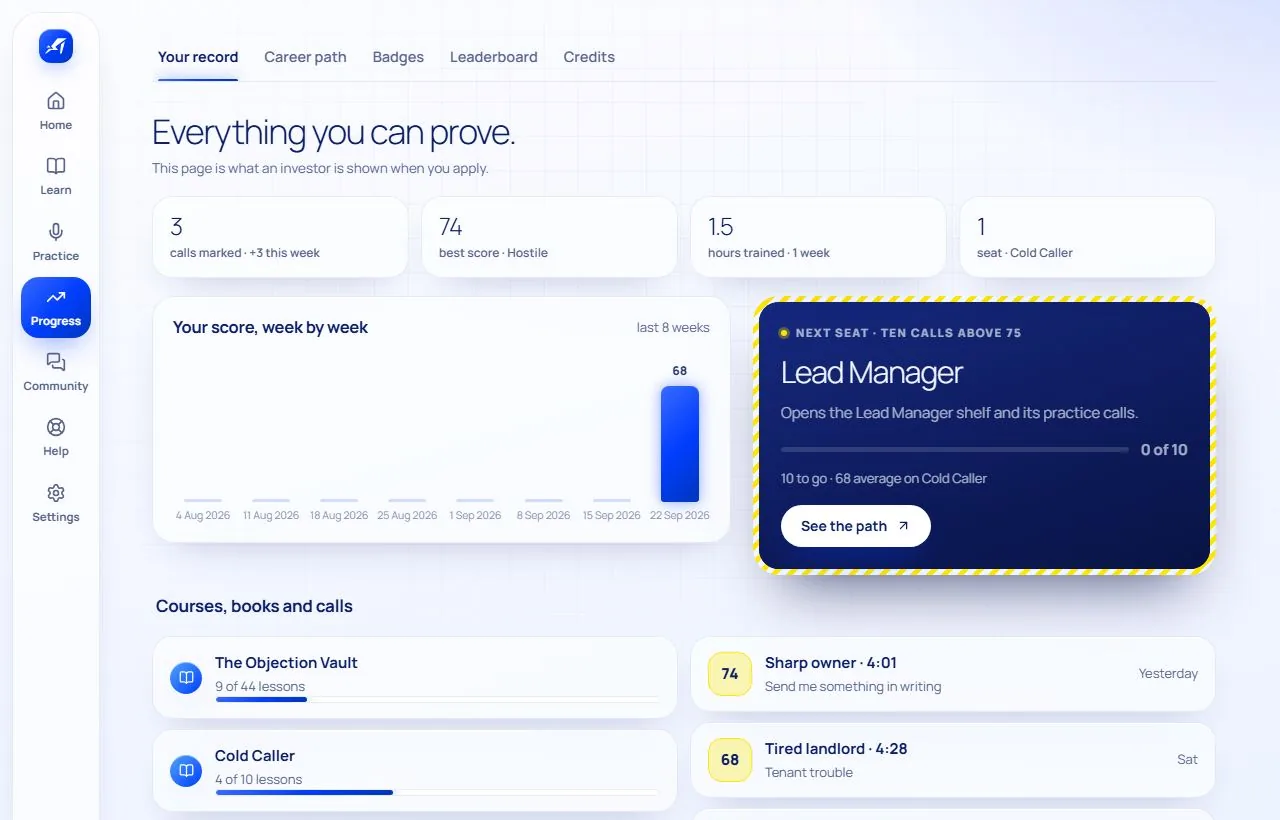
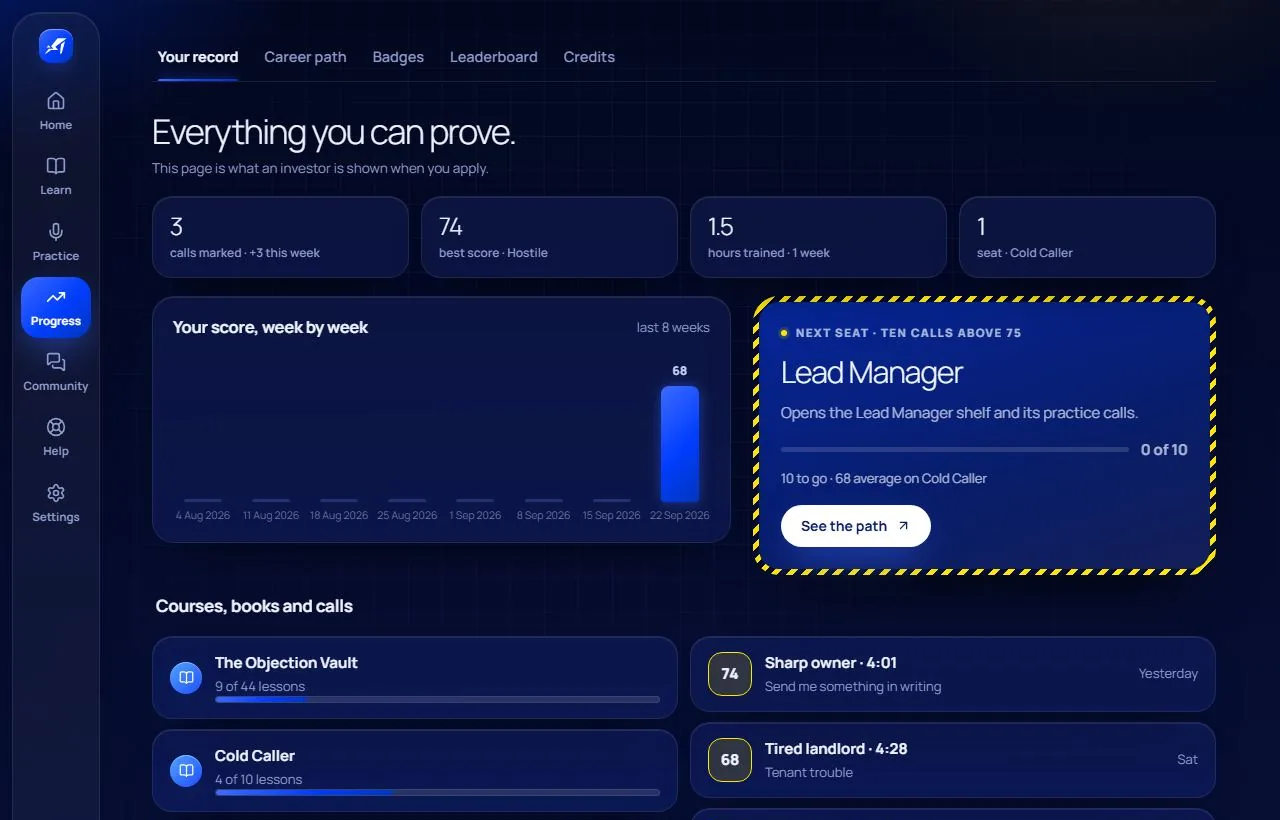
Your record: calls marked, best score and the next seat.Your record: calls marked, best score and the next seat.

Prove it: your record, the career path and the board.

Call scripts you run out loud

One step at a time, with why each step is there, a drill with a seller who answers back, and the whole call on one page.

Practice calls that mark you

Pick the list, the seller and how hard they push. The recording, the transcript and the score land when you hang up.

A record investors read

Marked calls, the career path to the next seat, badges and the monthly board.

The rooms

Wins, Questions, The lists and your seat's room — voice notes, polls and shared calls.

For teams

Owners and team managers see their callers and hand out practice calls with a due date.

Every device

Get it where you work.

Your account is open on one device at a time; sign in wherever you are calling from today.

Windows

The full app for Windows 10 and 11: its own window, updates by itself.

Download for Windows

v1.0.0 · 108 MB

iPhone and Android

Put the app on your home screen today. The Play Store app is on its way.

Open on this phone

The two taps, step by step →

Mac and Linux

Use the same app in Chrome, Edge or Safari. A desktop app is coming.

Open in this browser

Chrome and Edge can install it as its own window.

Questions people ask first

Do I need a new account?
No. Sign in with the account you already have — the same email and password. Your courses, calls, scores, badges, credits and everything you bought are already there, because the app reads the same place the website did.
Is it safe to install on Windows?
It installs for you only, under your own Windows account, so it never asks for an administrator password. The first time, Windows shows "Windows protected your PC" because the installer is not signed with a paid certificate yet — press More info, then Run anyway. The download page prints the file's SHA-256 so you can check it is ours.
Can I use it on my phone?
Yes, today, as an app on your home screen: on an iPhone open the app page in Safari, tap Share, then Add to Home Screen; on Android open it in Chrome and tap Install app. A Play Store app is being built; the steps are on the download page.
Can I sign in on my computer and my phone?
One at a time. Your account is open on one device at a time — signing in on a new one signs the other out, so a forgotten session can never linger. Every new device asks for a 6-digit code (by email or WhatsApp) or your passkey.
What does it cost?
The app is free to download, and every account starts on the Free AI plan. Courses and books are bought one by one, at the price shown on each. AI practice plans are monthly: Standard $9, Pro $24, Elite $60; AI Marker plans: Marker Plus $3, Marker Max $8. Prices are in US dollars and are paid by card, mobile wallet, Fawry, InstaPay or bank transfer; credits from referrals come off the price.
Does it update itself?
Yes. The Windows app downloads a new version in the background and offers Restart to update — it never restarts on its own. The phone app shows a Reload bar when there is something new.
Is there a Mac or Linux app?
Not yet. On a Mac or a Linux computer, open the app in Chrome, Edge or Safari — it is the same app, and Chrome and Edge can install it as a window of its own.

Your next call is waiting.

Install it, sign in with the account you have, and pick up exactly where you left off.

Download for Windows

v1.0.0 · 108 MB · Windows 10 and 11 · released 29 Sep 2026